Author: Dale Sackrider

  • Get your Swype on! Yes, even you CyanogenMod users can have Swype on Evo!

    For all of you Evo users out there – you can now have Swype on your phone. If you don’t know what Swype is – move along, this post will bore you. Ok – for those of you that are still running the stock Sprint version of the phone – just download the latest Over The Air (OTA) update. Swype is included and you can confirm it’s there by simply hitting Menu, Settings, scroll down to Language and keyboard. If you see Swype – its installed. To use it – just touch and hold in a typing field (like when you search or create an email or text). After a second or so, you will see “Input method”. When you touch that, there it is – Swype. You are done – enjoy the awesomeness of Swype. Now for the hard part – you reckless-rooting-master-of-your-own-phone person… If you have root’ed your phone and are running a custom ROM like the amazing CyanogenMod – then you have a few more hoops to jump through. First – you need to get the OTA version of Swype.apk and the lib file (named libSwypeCore.so). Here is the link (OTA 3.70.651.1) that worked for me – BUT know this – all links for software usually go broken sooner than later – so if the link doesn’t work – google for it and check xda forums. Now you will find a system folder in the OTA zip file – in that folder there is a lib folder. In that folder – there is libSwypeCore.so. Copy that to your phone’s sdcard. Also in the system folder, you will see a folder called app. In there you will find the Swype.apk. Copy that to your phone’s sdcard. Here comes the hard part. You need to mount the system partition of your phone into read/write mode. I used a QuickSSH to access a shell – but you can use abd shell or whatever. If you are already lost – you shouldn’t be running a mod – go back to the sprint software and run the OTA. From the shell, you need to find the mount point for system.

    UPDATE: You don’t need the following block quote of info – instead, just installed “Super Manager” from the app store – its free and it allows you to change the file system without all the complicated commands below. Once you have Super Manager installed, open it, click on settings, then Enable ROOT function, then file explorer. You can move to the sdcard, cut the lib file, and when you go to paste it in the /system/lib director – the software will ask you if you want to change it to read/write! Much easier process than the steps below:

    I got that information using info from here. Before you continue: WAIT! Never cut and paste a command from the internet to your system – figure out what it does FIRST! Here is an example of the commands you need:

    $ adb shell $ su # mount -o rw,remount -t yaffs2 /dev/block/mtdblock3 /system

    Remember – you need to get your /dev/block/mtdblockX path from /proc/mounts. I did a cat /proc/mounts | grep system to find that mine was mtdblock4. Once you have that – replace your path with the one in the example above.

    After you have a read/write file system – you can copy the lib file to /system/lib/. Reboot the phone (this may not be a required step, but its good practice). Open your sdcard and install the Swype.apk. after that – its the same as the OTA – touch and hold on any text input field – wait for “Input method” then select Swype. For me, this worked like a champ! Let me know how it works for you!

  • Top 5 Apps to load to your HTC EVO running Android 2.2 Froyo

    I just updated my HTC Evo to Android 2.2. I thought I would share my top 5 apps again – since they have changed a bit from when I first laid hands on the Evo.

    1. 3D Gallery – this is the default gallery that comes with the Motorola Driod and has picasa integration.
    2. PDANet – this is a free tethering app (unless you want https websites – then there is a charge for the desktop client)… if you don’t know what tethering is, you don’t need this app!
    3. Fring – I wrote about how frustrated I was when this app stopped working with Skype but its still the best video call app available on the Evo.
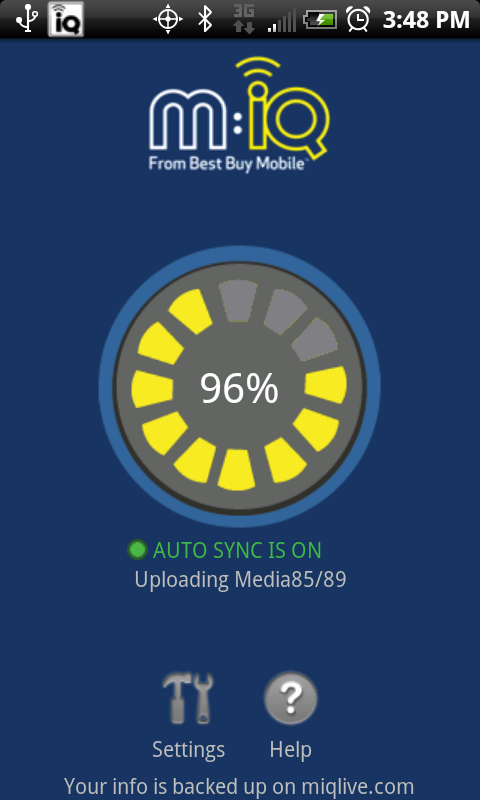
    4. MIQ – The BEST backup app available for any android phone today! You get one gig of space for free and all your pictures are backed up to the ‘cloud’ AS YOU TAKE THEM!
    5. Audible.com – You won’t find this app in the app store since its still beta (some have even labeled it as alpha – I’m not sure what the status really is) – but if you listen to audio books – this is the best app to do it on (namely books you buy from audible.com.) To the right is the bar code to download the app.
    6. Ok – I know I said top 5 – but if you don’t download a bar code scanner app – how will you download the audible.com app?
  • Sprint took away my download tab from the Android Market

    I do not like having my apps on my phone change over night without me clicking so much as an OK button.  This morning, I open my phone to search the market – and there it is – “Sprint” – right where my downloads tab was.  I’m not ok with this.  When I update an app on my phone, I’m prompted with information about what the app has access to and the ability to say, “hmmmm…. I don’t think I want that”….

    I might be able to accept that fact that I don’t have the ability to turn down an update to the phone that will close a security issue, or fix a critical bug – but changing my market app without so much as an text message isn’t giving me warm fuzzies.  I get how they did it – the market is similar to a website – the content changes each time I open it  – and I understand why they did it – they want to market their apps…  I want my downloads tab back on the home page of the market.

    You can still get to the downloads tab – you just have to hit menu from the market home screen and you will see downloads.  Read more about this change here:  http://www.androidcentral.com/sprint-get-own-tab-android-market

  • The HTC EVO is SOLD OUT EVERYWHERE!!!

    Does this mean this phone is the BEST phone out? No – it means HTC isn’t keeping up with demand.  Could the HTC EVO out sell the iPhone? We will never know because if its unavailable, people don’t wait weeks and months to find one – they get something else.  You could say that’s not the case with the iPhone because if you want the iPhone 4 – there isn’t any other option.  You will wait.

    But with the Droid X, the HTC HD2 (now with an Android 2.1 with HTC Sense ROM available), the Dell Streak, the orginal Droid, the Droid Incredible, etc, etc, etc – Can you really expect people eligible for an upgrade (read able to jump mobile providers) to wait for you to get it together?  Of course not.

    I finally convince my wife to upgrade her OLD Palm Treo 750 to an HTC Evo and its unavailable.  At first I thought I would pick up a white one from BestBuy but quickly realized ANY Evo, white or black is going to be hard to get.  Then I called Radio Shack – they said “we don’t believe we will be able to get any additional Evo’s for months”.  BestBuy said “whenever Sprint decides to send us more”.  Sprint.com says “Sorry, this device is so hot we can’t keep it on our virtual shelves.”

    I get that scarcity can create demand but total unavailability boosts the sales of your competition.  Com’on HTC and Sprint – get it together!

  • mIQ from BestBuy – best backup app for android (its like carbonite for your phone)

    The title says it all – check out the mIQ app from BestBuy – its on the market and its free.  What does it do?  Have you heard of carbonite or mozy?  Automated, real time backups for your phones pictures, videos, text messages, calendar, and contacts.

    Ok – I’ll give a quick review, even though I’m not sure you need it – I don’t want or need my phone to backup my calendar, contacts, or email – they are all in the cloud already because like you, I’m using google services for those.  Text messages are cool to be backed up – but now if you don’t backup your contacts, the text messages will only display phone numbers which is worthless…

    Pictures – flawless backups – it just works.

    Video – works great – as long as your videos are less than say 10 seconds or so.  This is because of the 20 meg size limit on videos.  This issue is a big one for me – I’ve contacted the app support team and submitted several feature requests – this is at the top of the list.

    Last but not least of the short comings – it only allows for 1 gig of space!  Yes, I know, your phone has an 8, 16, or maybe even a 32 gig memory card – 1 gig isn’t going to cut it.  Currently this no option for a premium plan allowing greater uploads or higher memory.

    Regardless of these short comings – this app is amazingly simple to setup and use and best of all – it just works.  Give it a try – soon, you won’t need to plug your phone into your laptop to use it… :o)

  • Even on an android, Steve Jobs manages to block an app from the market

    By now, you already know that Fring no longer supports skype.  Personally I have no use for another “all your chat ids here” app – which is what Fring is when you remove video chat.  They still have video chat, but only Fring to Fring.  If they would add gtalk video chat or yahoo video chat – I would be happy again…

    A quick recap of what happened – Fring created a version of their app for the iPhone 4.  iPhone 4 users downloaded it by the thousands because they were tired of hearing how worthless facetime is.  Facetime is great but only works with other iPhone 4 users (just like QIK is only good with other EVO users)… making it worthless!  iPhone gang overwhelm the Fring servers trying to video chat with their Skype friends so Fring removes Skype “temporarily” while they fix their server issues.

    In the meantime – Skype decides that they want to own the video chat market on mobile phones and send Fring a notice to not re-enable Skype access.  Fring can no longer connect to skype users and we are left with no video chat feature worth showing off (unless you just want to “Fring” with your iPhone / Evo friends).

    Skype may give us a client by the end of the year – but for now, we have nothing… all thanks to the overwhelming traffic created by the iPhone 4.  Thanks Steve Jobs – blocking apps from the iTune market isn’t enough, huh… you have now managed to remove an app from the android market!

  • Update on Wireless Tethering (MiFi) on your HTC EVO without the $30 monthly fee

    UnEVOked.com has FIXED the OTA issues and given us our ROOT back – so you can get your wireless tethering back… if you were so inclined to do that… :o)

    Seriously – if you are using this – why not donate to the EFF on behalf of team UnEVOked just one $30 fee that you saved by using their root methods… I did.

    Check out the update on how to get wifi tethering back here: http://sackrider.org/category/technology/wireless-tethering-mifi-on-your-htc-evo-without-the-30-monthly-fee.html